 Torvi
Torvi Reference Check
Ask for references, get them back signed, and keep the record that shows you checked.
For whoever hires, and whoever has to show that the references were checked.
 Screenshot · screen-refcheck-detail.jpg
What it does
- The candidate nominates their refereesThey get a one-time link by email, read your privacy statement and name the referees you ask for — anywhere from one to five, two unless you change it — with an email address and a phone number for each, then agree and sign.
- Referees prove who they are firstEach referee gets a one-time link of their own and has to enter a six-digit code sent to their email address before a single question is shown.
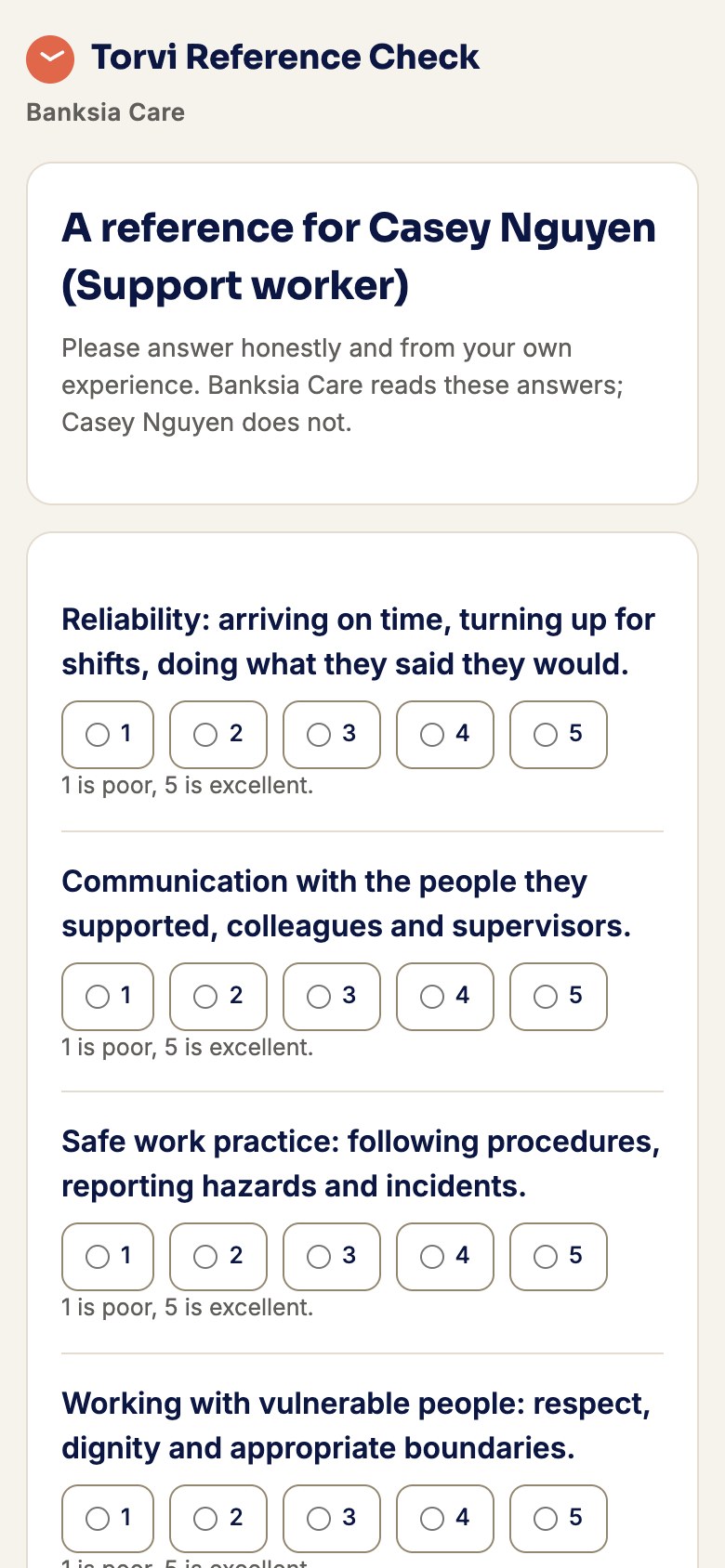
- Your questions, answered and signedRatings from 1 to 5, yes or no with an explanation for a yes, written answers, and whether they would employ the person again. The referee types their name and draws their signature, or declines and says why. The candidate never sees what was written.
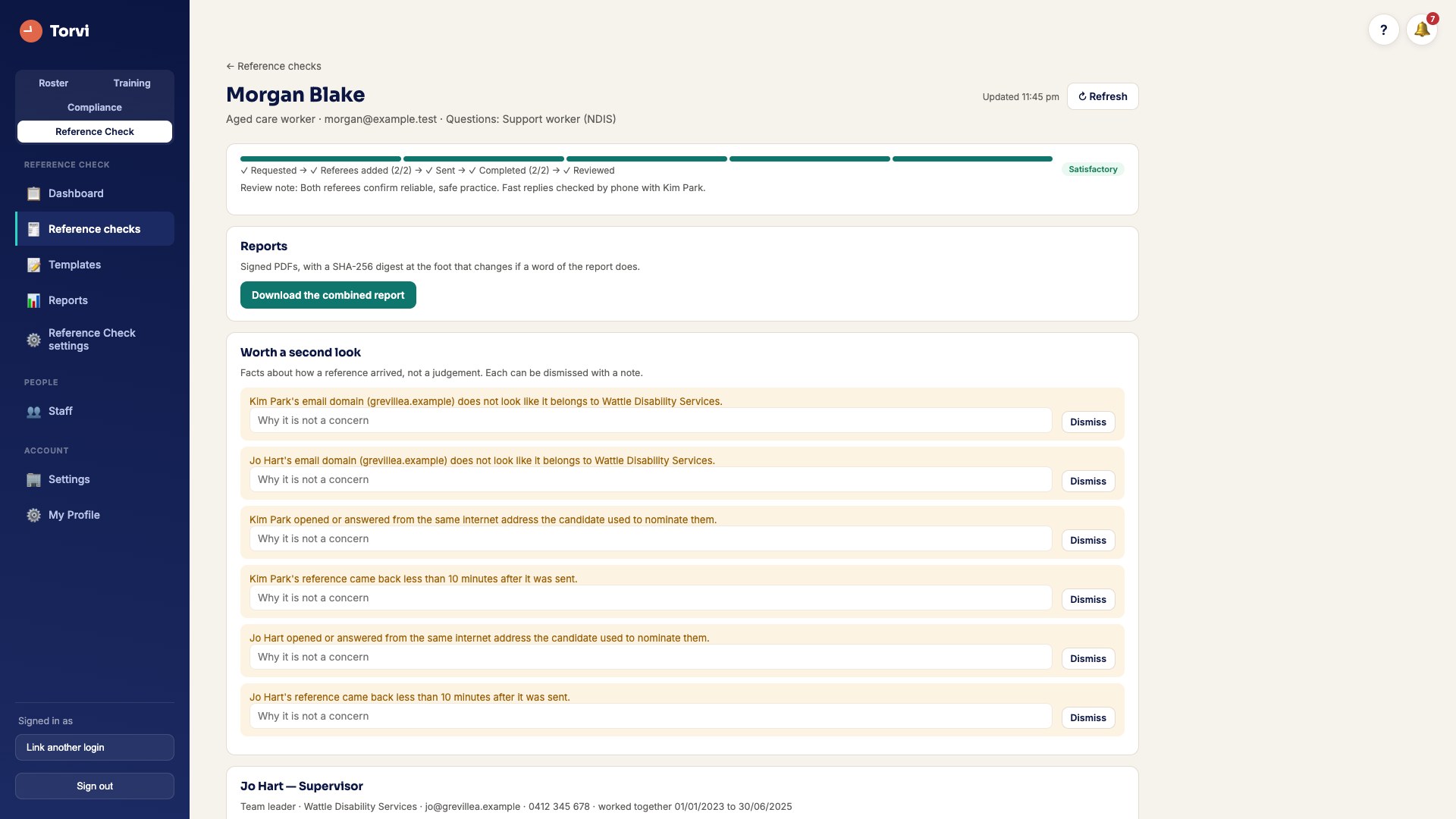
- Things worth a second lookA reference back within ten minutes of being asked for, a free webmail address, a referee whose email address or internet address matches the candidate’s or another referee’s. Facts, not judgements: each one can be dismissed with a note saying why.
- An outcome, on the recordSatisfactory, Concerns or Unsatisfactory, and the last two need a note. With Torvi rostering it is written to the person’s own record.
- A signed PDF that shows if it was changedOne reference or the whole check, with a SHA-256 digest at the foot so a copy can be compared with the original. It is tamper-evident. It is not a legal electronic signature, and it does not claim to be.
- Every step, keptWho was asked, when they opened it, when they answered, every reminder and every resend — added to, never rewritten. Reminders go out on the days you choose, and links expire when you say.
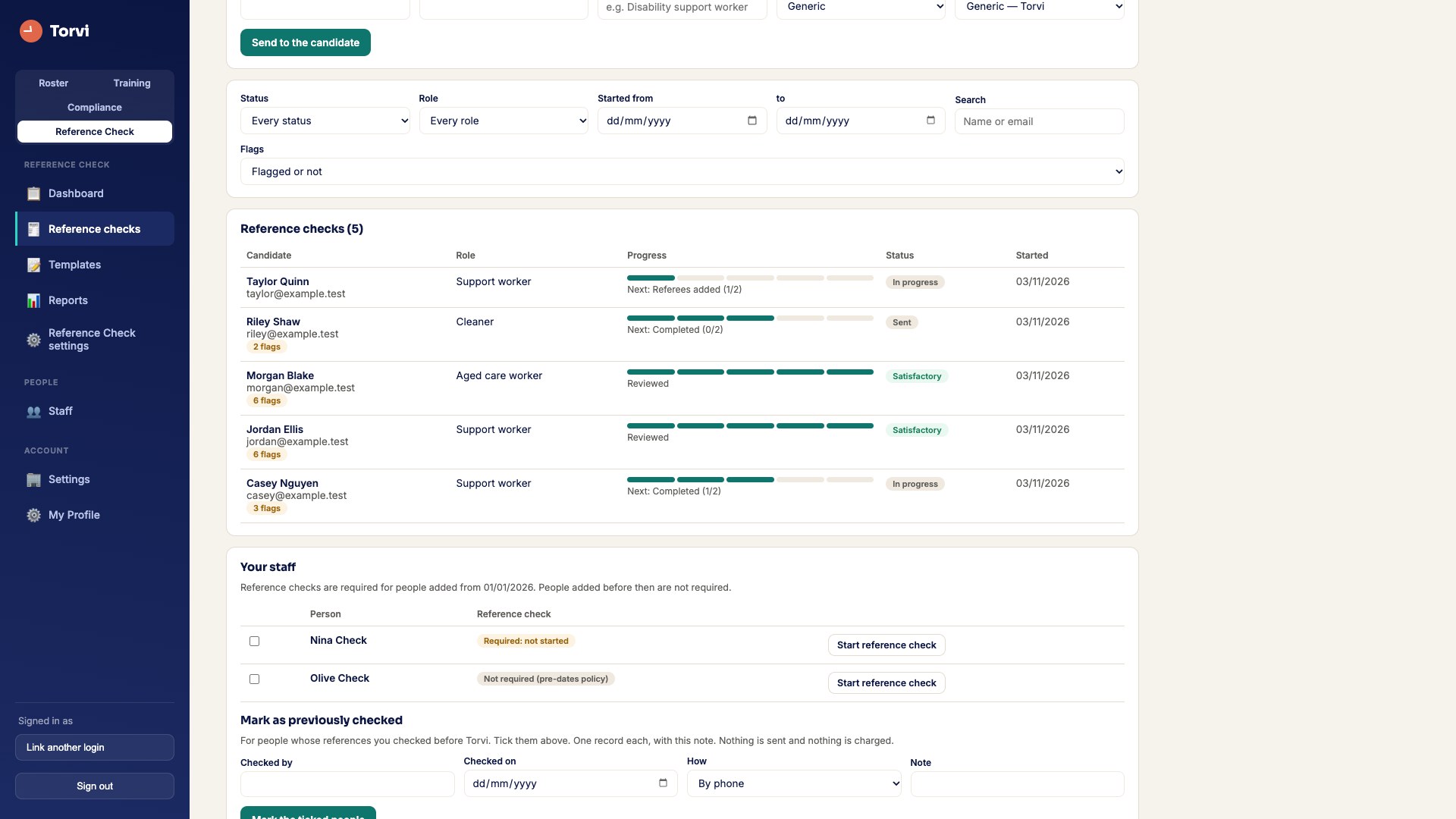
- References you already haveRecord one you checked before Torvi — by phone, email or in writing, who checked it and when, with the file if you have one — for one person or your whole existing staff at once, at no charge. Taking one over the phone? Download the phone reference form, or type the answers straight into the template.
With the rest of Torvi, or on its own
- From the staff profileWith Torvi rostering, start a check from the person’s own profile. It is a line on their onboarding, and its outcome sits on their record.
- Evidence for Torvi ComplianceWith Torvi Compliance, a completed reference check is evidence in the audit pack.
- Or nothing else at allAdd Torvi Reference Check to any plan, or buy it on its own (standalone): an organisation can run it and nothing else — the menu is reference checks, with no empty roster behind it.
- Questions for the work you doTorvi’s own templates for support workers, aged care, nurses, GPs, allied health, cleaners, office staff, hospitality, retail, trades, drivers, childcare, managers and more. They are read-only: copy one to change it, or write as many of your own as you like, and choose the default for each role.
- Your rulesHow many referees, how long a link lasts, which days reminders go out, and Torvi’s privacy statement or your own. Set the date checks are required from, and the people already on your staff read "Not required (pre-dates policy)".
- Reports you can hand overWhere every check is up to, how long they take, by role and by period, each as a CSV — and how many references were sent each month.
- Progress on a phoneIn the Torvi app, managers can see where each check is up to and how it turned out. Checks are started on the website.
 Screenshot · screen-refcheck-people.jpg
 Screenshot · screen-refcheck-referee-phone.jpg
How it works
- Start a check — with the candidate’s name and email, or from a staff member’s profile.
- The candidate nominates their referees and signs. Each referee gets their own link.
- Referees enter the code from their email, answer your questions and sign.
- Read the references and anything worth a second look, then record the outcome.
A reference is charged when its request is sent to a referee — once per referee, however many times the link is resent. Recording a reference you already have costs nothing. Both prices are on the pricing page, excl. GST.
Try it with your next new starter
Set your organisation up in minutes. Cancel any time before the trial ends.
Start free trial What it costsQuestions people ask
Does the candidate see what their referees said?
No. The candidate names their referees and signs their own agreement. What each referee writes is read by the people in your organisation who can see reference checks, and nobody else.
What stops a candidate writing their own reference?
Each referee has to enter a six-digit code sent to their email address before any question is shown, and the phone number they were given is on the record. The things worth a second look — the same email or internet address as the candidate, a free webmail address, an answer back within ten minutes — are put in front of you rather than acted on.
Is the signature a legal electronic signature?
No. The referee types their name and draws a signature, and the PDF carries a SHA-256 digest so a changed copy can be told from the original. That makes it tamper-evident. It is not a legal electronic signature.
Do I need Torvi rostering to use it?
No. Torvi Reference Check can be the only part of Torvi you use, or sit beside rostering, Torvi LMS, Torvi Compliance or any other product. With rostering it starts from the staff profile; with Compliance it appears in the audit pack.
How is it charged?
A monthly price, plus each reference when its request is sent to a referee — once per referee. Sending a link again is not charged, and recording a reference you already have is free. Both figures are on the pricing page, excl. GST.
Can referees be asked by text message?
Not yet. Requests go by email today; email and SMS is coming soon.