 Torvi
TorviTimesheets and invoicing
The hours that were worked, turned into the two things that come after them: a bill to the client and a statement of what was earned.
For whoever approves the hours and whoever sends the invoices.
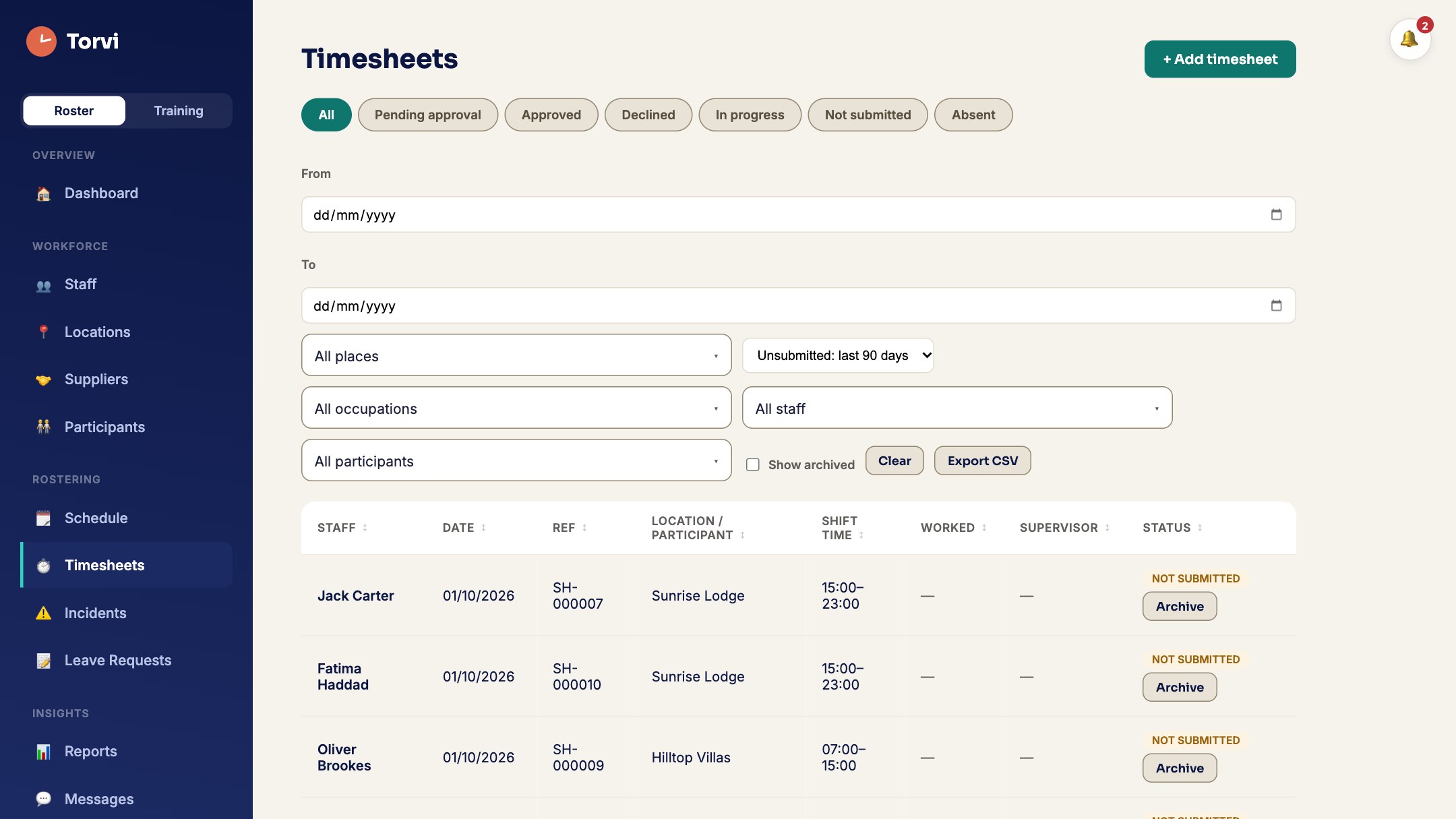 Screenshot · screen-timesheets.jpg
What it does
- Clock in where the work isStaff clock in and out from their phone, checked against the site’s location.
- Approve what needs a decisionSubmitted, declined, adjusted and reopened each have their own state, and the person whose timesheet it is is told what happened to it.
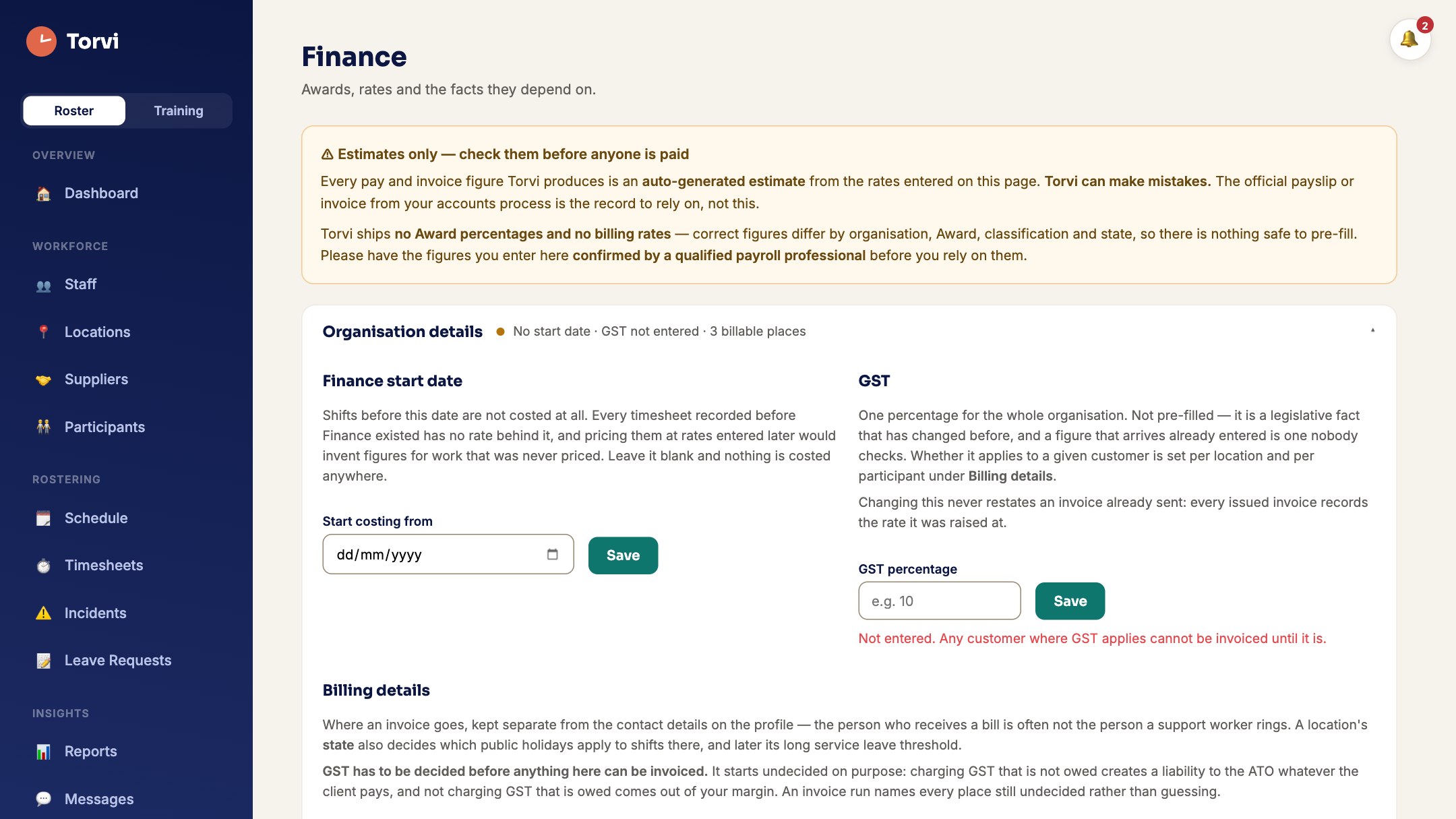
- Invoices from approved hoursApproved time becomes an invoice with your ABN and GST on it, and what a supplier charged you arrives on your bills beside it.
- Gross earnings statementsA statement of gross earnings for a period, built from approved timesheets and the rates you set. It is not a payslip: Torvi does not calculate PAYG, deductions or net pay, and no net figure appears on it.
- The money, as a pictureWhat was spent, what is still to be billed, and what agency cover is costing you.
 Screenshot · screen-finance.jpg
How it works
- Set your rates and occupations once, in Finance settings.
- Staff clock in and out on their phone; the shift and the timesheet stay together.
- An approver works through what needs a decision.
- Approved hours become invoices, and a gross earnings statement for the period.
Try it with your own hours
Set your organisation up in minutes. Cancel any time before the trial ends.
Start free trial What it costs