 Torvi
TorviTorvi Kiosk
A tablet in the foyer that signs visitors in and out, asks the questions you want asked, and remembers.
For whoever is on the desk, and whoever has to produce the register.
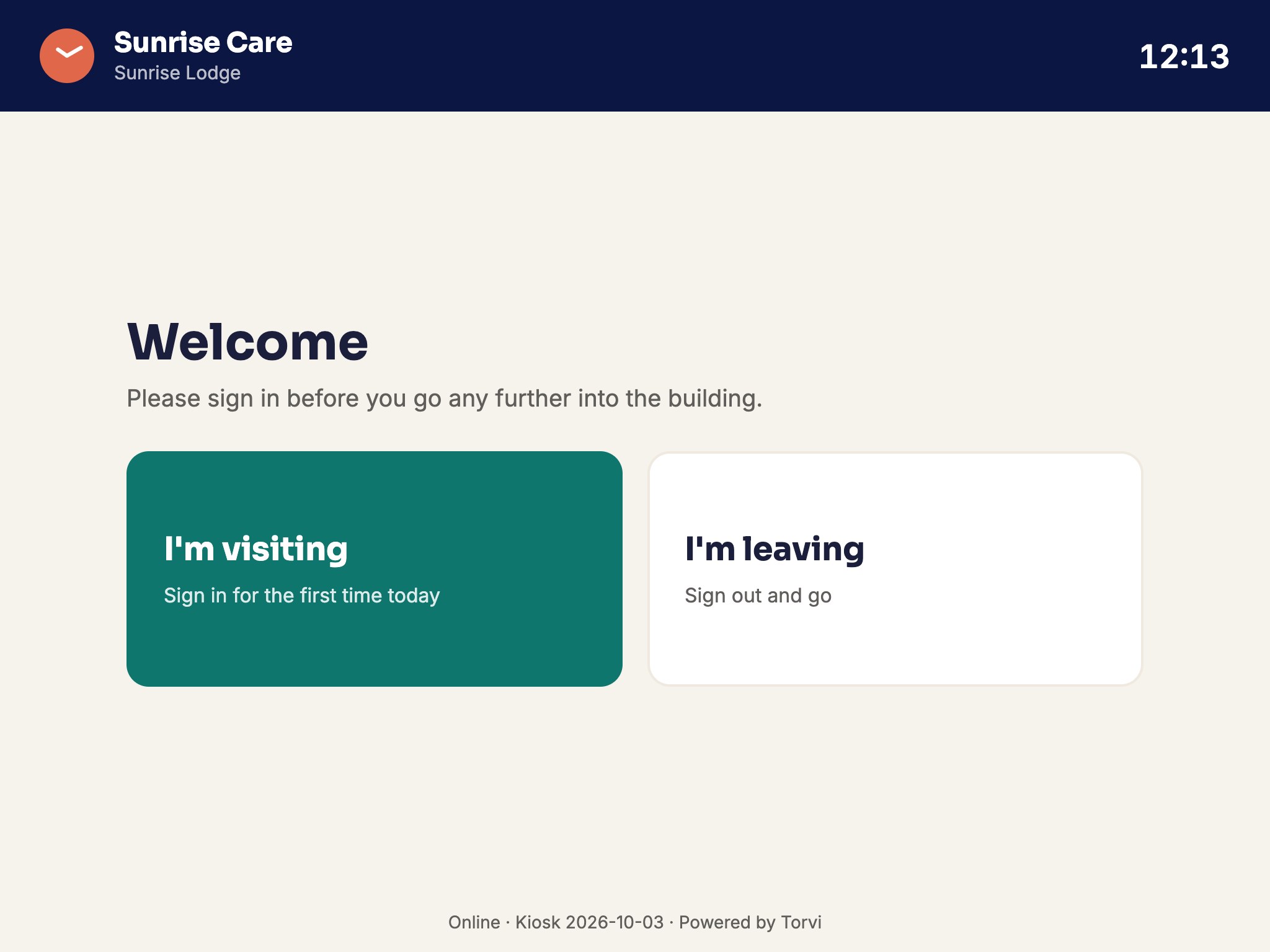 Screenshot · screen-kiosk.jpg
What it does
- Your own screening questionsWritten by you, asked every time, and an answer that needs attention tells whoever is on duty.
- Signing out is easyTheir own name, or the badge they were given — and the tablet knows who is still on site.
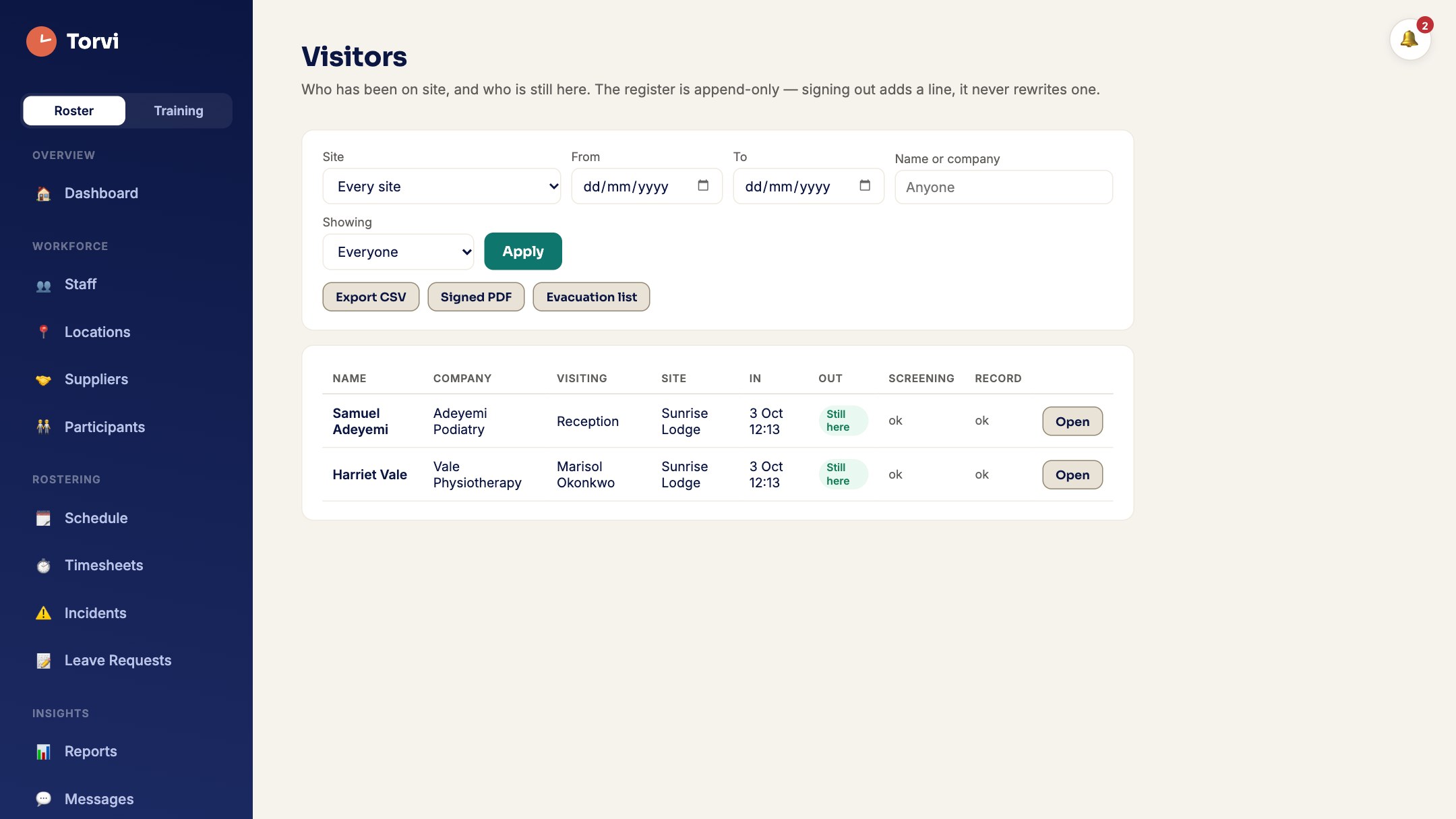
- Who is here, right nowOne screen, for the fire warden and for the question nobody can usually answer.
- It survives the internetThe tablet keeps working when the connection does not, and catches up when it comes back.
- On its own, if you likeAn organisation can run Torvi Kiosk and nothing else — the menu is the kiosk, and no empty roster.
- A photo, if you want oneOff unless you turn it on, for visitors and for staff separately. The person sees themselves, takes it, and can take another; a camera that is blocked or broken never stops somebody signing in. Only people who can already read the visit or the timesheet can see the picture.
The same tablet, for staff and contractors
- Staff clock on at the tabletA four-digit PIN they choose themselves, or a code their own Torvi app shows that changes every minute. Start a shift, take a break, end the break, finish — written to the same timesheet the app writes, so there is one record and not two.
- Nobody rostered? Still fineSomebody who came in to cover can clock on without being on the roster first.
- Contractors sign themselves inThe job number from their email gets them in and out, with no account and nothing to install. Their arrival and departure are the job’s own attendance, which is what their invoice is already built from.
- Paperwork, your ruleIf a contractor’s documents are missing or out of date, the tablet follows the rule your organisation already set: let them in with a flag, or turn them away politely and tell whoever is on duty so somebody comes out to them.
- One list for an evacuationVisitors, staff on shift and contractors on site, on one screen — on the tablet and on the site’s own page, read from the same place so the two cannot disagree.
- The tablet never shows a list of namesSomebody enters a code and is greeted by their own first name and their own buttons. The only screen that names more than one person is the evacuation list, and that is behind a PIN.
- It still works with no internetWhat somebody pressed is kept on the tablet and sent when the connection comes back, stamped with the time it actually happened rather than the time it arrived.
 Screenshot · screen-visitors.jpg
How it works
- Write your screening questions.
- Open the kiosk on a tablet and type the six-digit code from the Settings screen.
- Leave it in the foyer.
- The register is on your own screen whenever you need it.
Try Torvi Kiosk at your own front door
Set your organisation up in minutes. Cancel any time before the trial ends.
Start free trial What it costs