 Torvi
TorviTorvi LMS
Build a course once and give it to whoever has to do it. They work through it on their own phone, and you can see who has finished and who has not.
For whoever has to show that the team has been trained.
 Screenshot · screen-training-builder.jpg
What it does
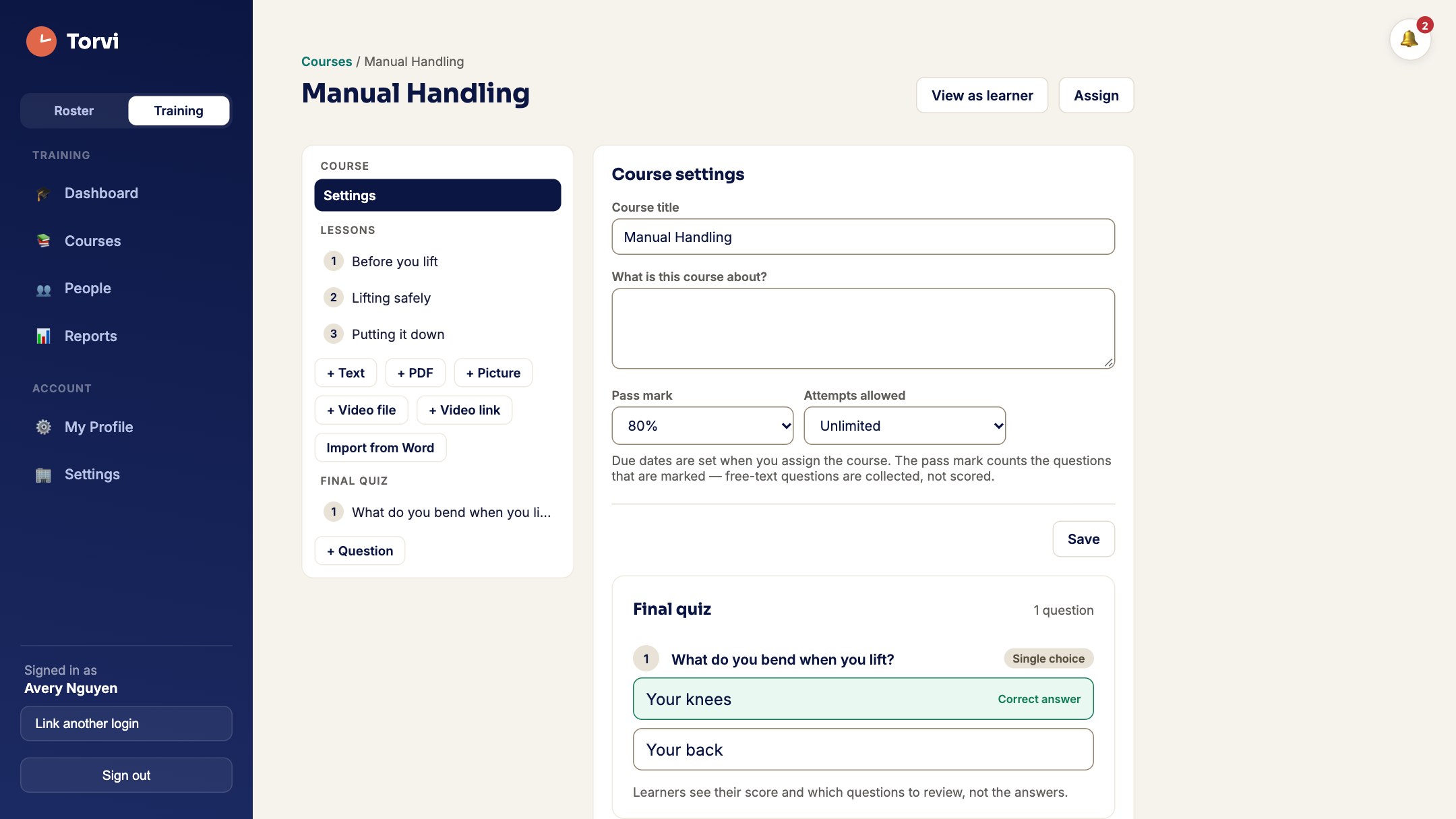
- Import a Word documentA policy you already have becomes lessons you can edit, split at its own headings, with its pictures kept.
- Or import a whole set at onceA course pack is a zip with a text file in it. Twenty short courses arrive as twenty courses, with their pictures, PDFs and videos, rather than twenty turns at a form.
- Lessons that are not just textPictures, a PDF or a video in a lesson, or words you type.
- A quiz that marks itselfSingle answer, several answers, true or false, and written answers that go to a manager to read rather than to a marking scheme. You choose the pass mark and how many attempts.
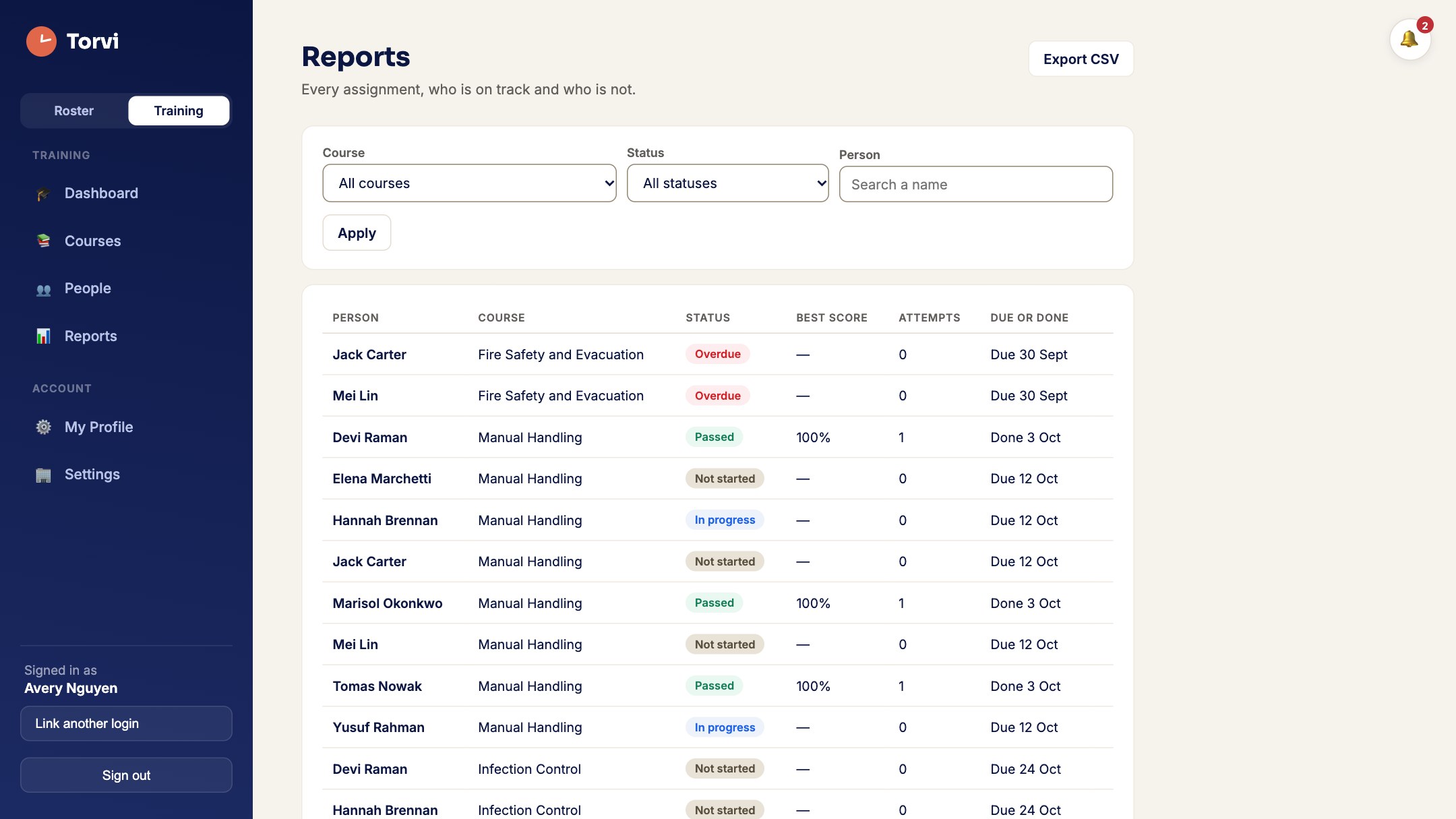
- Due dates, and who is lateAssign a course with a due date and see who is done, who is overdue, and when they finished.
- Reminders that go out on their ownBefore it is due, on the day, and after. Each person’s own notification settings decide whether that reaches them by email, in the app, or both.
- A certificate anybody can checkFinishing a course produces a certificate with a code on it. Whoever is handed that code can check it on a public page without a Torvi login — so an auditor can confirm it without you sending them anything.
- Expiry, and the refresher that follows itA course that has to be done again every year expires on its own, and the refresher is linked to the completion it replaces, so the history reads as one line rather than two unrelated ones.
- Courses you did somewhere elseA course run by somebody else is recorded as an external course: the person uploads their certificate, and a manager approves or rejects it. Nobody marks their own.
- Practicals somebody has to watchFor the things a quiz cannot test, a supervisor works down a checklist and signs it off. There is an Assessor role for people whose job is only that.
- A report you can hand overThe whole picture on one screen, exportable as a CSV when somebody asks for it.
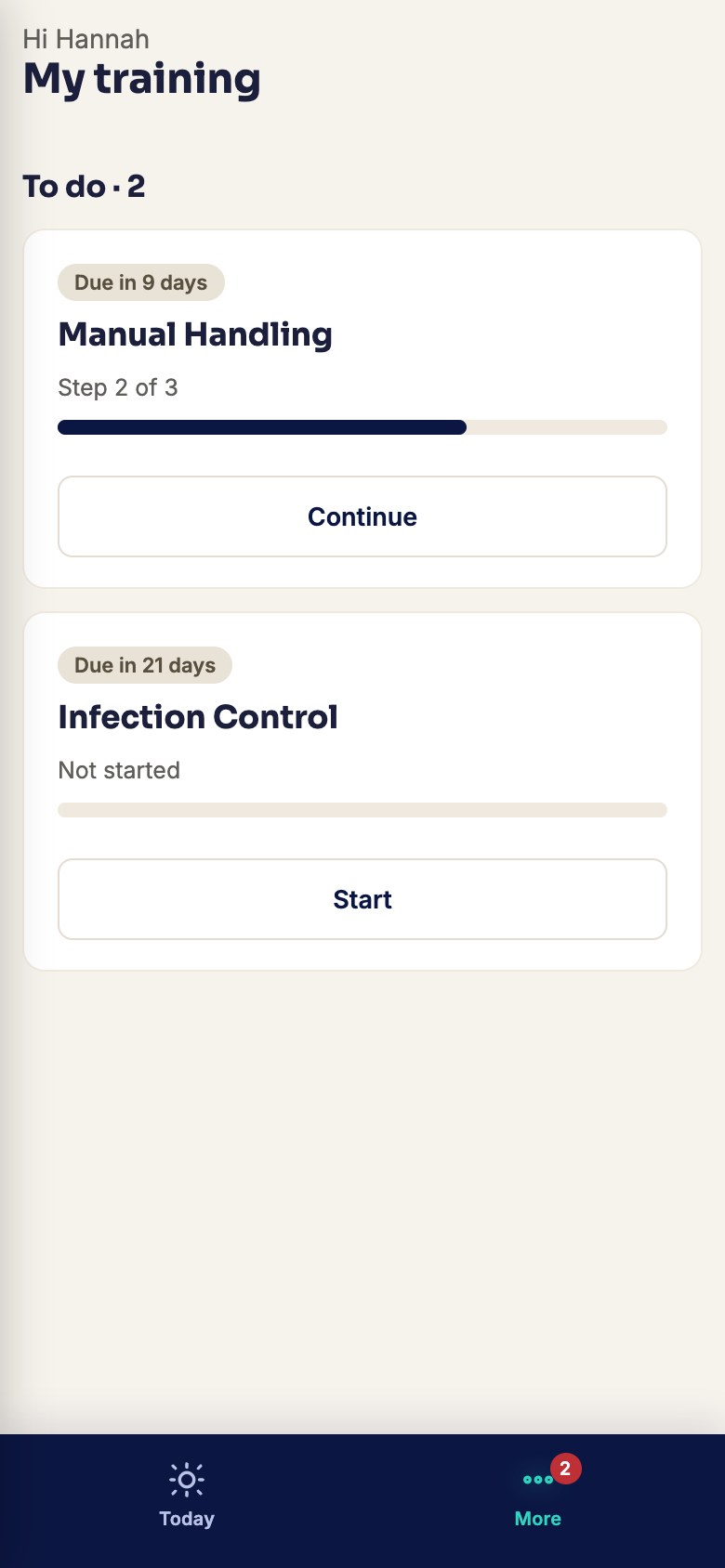
- All of it on a phoneLearners work through courses, take quizzes and open their certificates on their own phone.
 Screenshot · screen-training-reports.jpg
 Screenshot · screen-training-my-phone.jpg
How it works
- Build a course, or import a document you already have.
- Add a quiz, choose the pass mark and how many attempts.
- Assign it to the people who need it, with a due date.
- They do it on their phone. You watch the report.
Most Library courses are bought per learner. A few, such as the NDIS Commission’s worker modules, are free. Online buying opens soon — talk to us. Everything above works today with courses you build or import yourself.
Try it with a course of your own
Set your organisation up in minutes. Cancel any time before the trial ends.
Start free trial What it costs