Agencies & partners
Offer shifts to agencies, whether or not they use Torvi, and follow what they answer.
Last updated 3 November 2026
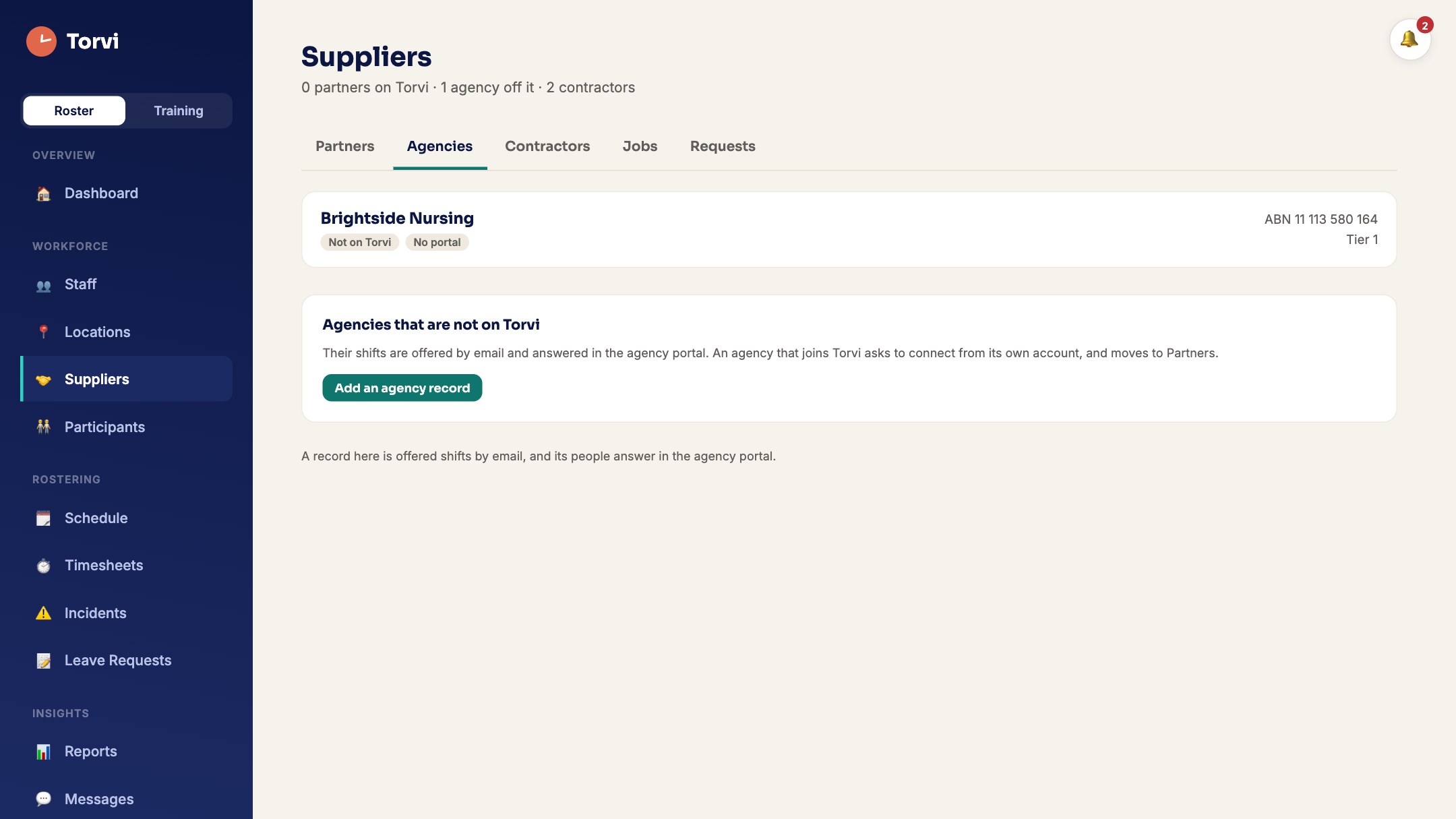
Agencies that are not on Torvi
- On Suppliers, open Agencies and choose Add an agency record.
- Enter their contact details and Tier — tier 1 is asked first. Their shifts go by email, and they answer in the agency portal.
Agencies on Torvi (partners)
- An agency on Torvi asks to connect using your ABN, and you Approve it. It then appears under Partners.
- Each partner has tabs for Rates, Sharing, Sites, Requests, Workers and Invoices.
Offer a shift to agencies
- Open the shift on Schedule, choose Offer to staff…, then the Agencies tab.
- Tick agencies, or offer by tier and widen after a set time, then Send to agencies.
- Whichever agency fills it first gets it. Every other agency is told straight away that it is no longer available, and nobody else can take it.
When an agency fills a shift
- However the agency fills it — a staff member claims it, the agency chooses from its staff’s requests, offers it, or assigns someone — your shift shows the agency and the worker’s name, and you are told.
- If you later change the shift, the agency is asked whether its worker is still going.
For the agency: answering requests
- Requests arrive under Requests on the facility’s partner page.
- Open one to Accept — choose who is going, Publish to your staff, or Decline. Once it is filled you can Hand back until the shift starts.
- When the facility changes a shift you are covering, answer it under What they told you: Swap worker, Re-publish to staff or Can't cover it.